

Simple Asset Maintenance Management Software for any team
Explore Solution Enterprise Asset Management Preventive Maintenance Work Order Management Spare Parts Inventory RFID-based Asset Tracking IoT Sensors and FFT Analysis AI-driven Predictive Maintenance AI-powered Checklist for Compliance Centralized Incident Tracking Mobile CMMS for Technicians Smart Analytics and Dashboards ERP & Integrations Helpdesk Management with SLA
Automated Inventory & Warehousing using RFID
Explore Solution RFID Asset Tracking System Warehouse and Inventory Management Supply Chain & Logistics Tracking Forklift & Material-Flow Automation Container Tracking System for Smarter Logistics Real-Time Location System (RTLS) Cold Storage Management System Personnel and Labor Tracking RFID Production & (WIP) Tracking RFID Readers & Scanners RFID Workflow Automation
Field Service Management Software Tools that Drive Business Better
Explore Solution Job Scheduling Software Dispatching Software Online Booking for Field Service In-app Chat Software Phone System Built for Service Teams Invoicing Software Estimating Software Payment Processing for Field Service QuickBooks Integration Card Reader Review Management Software Price Book Software Customer Portal Mailchimp Integration Sales Proposal Software Time Tracking Software Field Service Reporting Software Job Costing Software Vehicle GPS Tracking Jobsite Photo Feature Jobs Pipeline
Sell Faster, Smarter, and Better with Field Sales Management Software
Explore SolutionFacility Management Software to Boost Efficiency & Lower Costs
Explore Solution Facility Asset Tracking Automated Maintenance Scheduling Simplify Work Order Management Incident Reporting & Tracking Spare Parts Inventory Management ERP and other Integrations Energy Monitoring Solutions AI-Powered Checklists for Compliance Vendor Management Smart Analytics and Reports Mobile Facility Management Facility Workforce Management
Construction Project Management Software to keep projects on schedule & costs under control
Explore SolutionComprehensive Rental Asset Management Software Designed to Elevate Your Business
Explore Solution Project & Rental Bookings Equipment Availability & Scheduling Maintenance & Work Orders Manage Transport & Crew Rental Contract & Billing Performance & Analytics Rental Inventory & Asset Management Equipment Lifecycle Management Equipment Tracking IoT Monitoring & Predictive Maintenance RFID & Barcode Crew Scheduling Time & Productivity Tracking
Manufacturing and Production
Book a DemoFacility Management
Book a DemoField Service
Book a DemoField Sales
Book a DemoConstruction Projects
Book a DemoResources
Learn, get support and see DreamzCMMS in action.
Enterprise Asset Management
Preventive Maintenance
Work Order Management
Spare Parts Inventory
RFID-based Asset Tracking
IoT Sensors and FFT Analysis
AI-driven Predictive Maintenance
AI-powered Checklist for Compliance
Centralized Incident Tracking
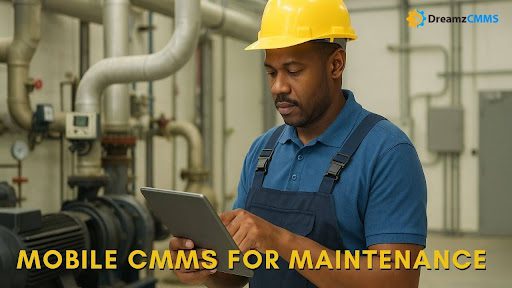
Mobile CMMS for Technicians
Smart Analytics and Dashboards
ERP & Integrations
Helpdesk Management with SLA
RFID Asset Tracking System
Warehouse and Inventory Management
Supply Chain & Logistics Tracking
Forklift & Material-Flow Automation
Container Tracking System for Smarter Logistics
Real-Time Location System (RTLS)
Cold Storage Management System
Personnel and Labor Tracking
RFID Production & (WIP) Tracking
RFID Readers & Scanners
RFID Workflow Automation
Job Scheduling Software
Dispatching Software
Online Booking for Field Service
In-app Chat Software
Phone System Built for Service Teams
Invoicing Software
Estimating Software
Payment Processing for Field Service
QuickBooks Integration
Card Reader
Review Management Software
Price Book Software
Customer Portal
Mailchimp Integration
Sales Proposal Software
Time Tracking Software
Field Service Reporting Software
Job Costing Software
Vehicle GPS Tracking
Jobsite Photo Feature
Jobs Pipeline
Lead & Opportunity Management
Sales Order Management
Sales Team Location Tracking
Customer Relationship Management
Field Sales Inventory Management
Quotation On-the-go
Invoicing & Payment Collection
Smart Analytics and Reports
ERP and other Integrations
Facility Asset Tracking
Automated Maintenance Scheduling
Simplify Work Order Management
Incident Reporting & Tracking
Spare Parts Inventory Management
ERP and other Integrations
Energy Monitoring Solutions
AI-Powered Checklists for Compliance
Vendor Management
Smart Analytics and Reports
Mobile Facility Management
Facility Workforce Management
Sales and Estimation Management
Project Management
Asset and Maintenance Management
Spare Parts Inventory Management
Energy Monitoring Solutions
Field Service for Remote Workers
Smart Analytics and Reports
ERP Integrations
Project & Rental Bookings
Equipment Availability & Scheduling
Maintenance & Work Orders
Manage Transport & Crew
Rental Contract & Billing
Performance & Analytics
Rental Inventory & Asset Management
Equipment Lifecycle Management
Equipment Tracking
IoT Monitoring & Predictive Maintenance
RFID & Barcode
Crew Scheduling
Time & Productivity Tracking
 BACK TO Blog