


Work Order Software to Manage Maintenance From Request to Completion.
Cloud-based work order software for maintenance teams. Create, assign, schedule, track and close maintenance work orders from any device, online or offline. Use AI to turn requests into work orders, route jobs, support technicians and summarize completed work.
Based on 200+ reviews on








Trusted By Global Brands Across The World
























Use AI where it saves time in daily maintenance work.
DreamzCMMS keeps the normal CMMS workflow familiar. AI helps with work requests, job routing, technician support, completion notes and maintenance analysis. If you are new to the term, see what a CMMS is and how it works.
Less downtime. Faster work orders. Better maintenance control.
Keep day to day maintenance simple for plant managers, facility managers, supervisors and technicians.
Award winning CMMS software
Recognition from software review platforms for value, ease of use, functionality and customer support.







Maintenance work order software to create, assign and track jobs
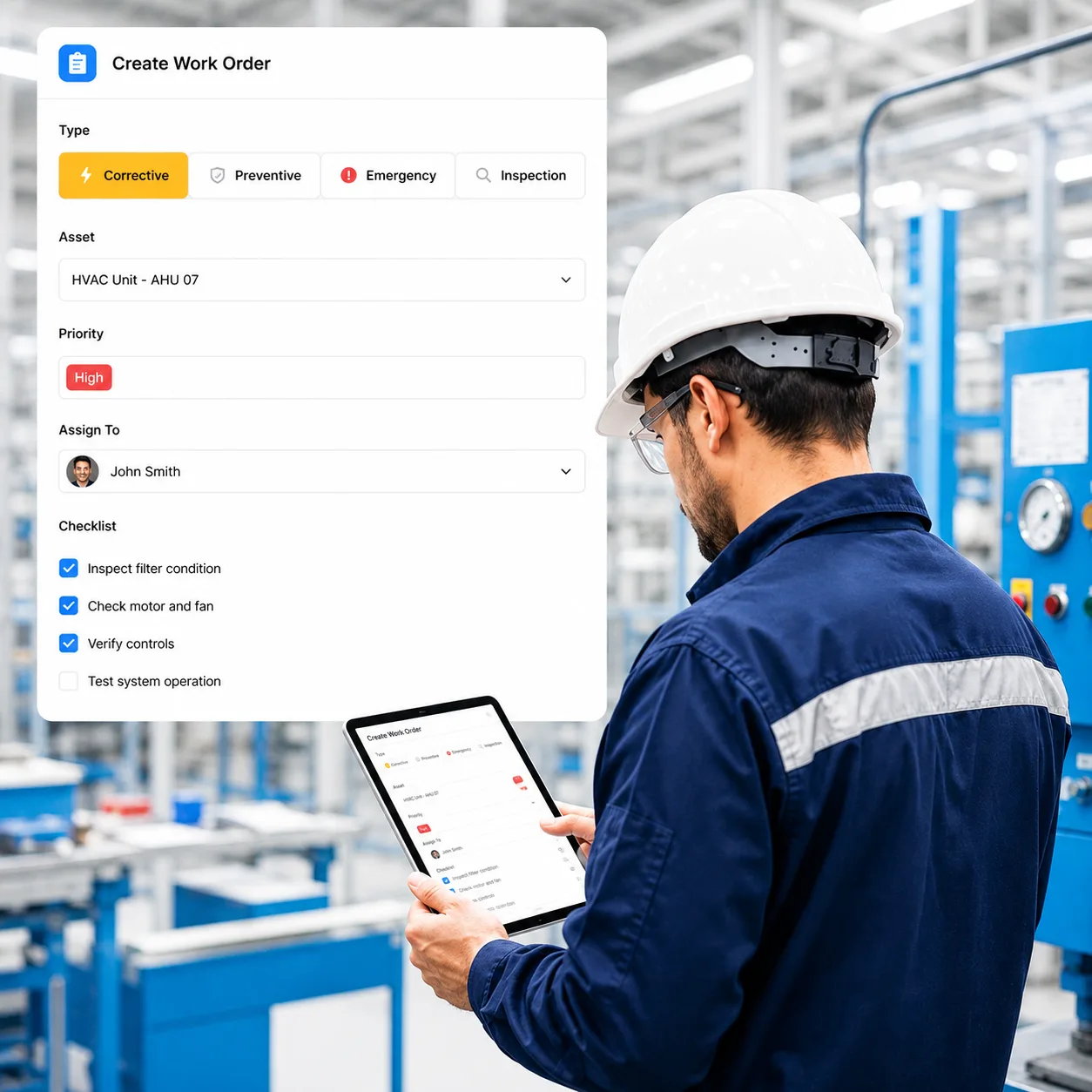
Create corrective, preventive, emergency and inspection work orders. Set priority, assign technicians, add parts and checklists, track status and keep the full work history against the asset. AI can help create and route requests and prepare completion summaries.
View all capabilities
Schedule the right technician for each job
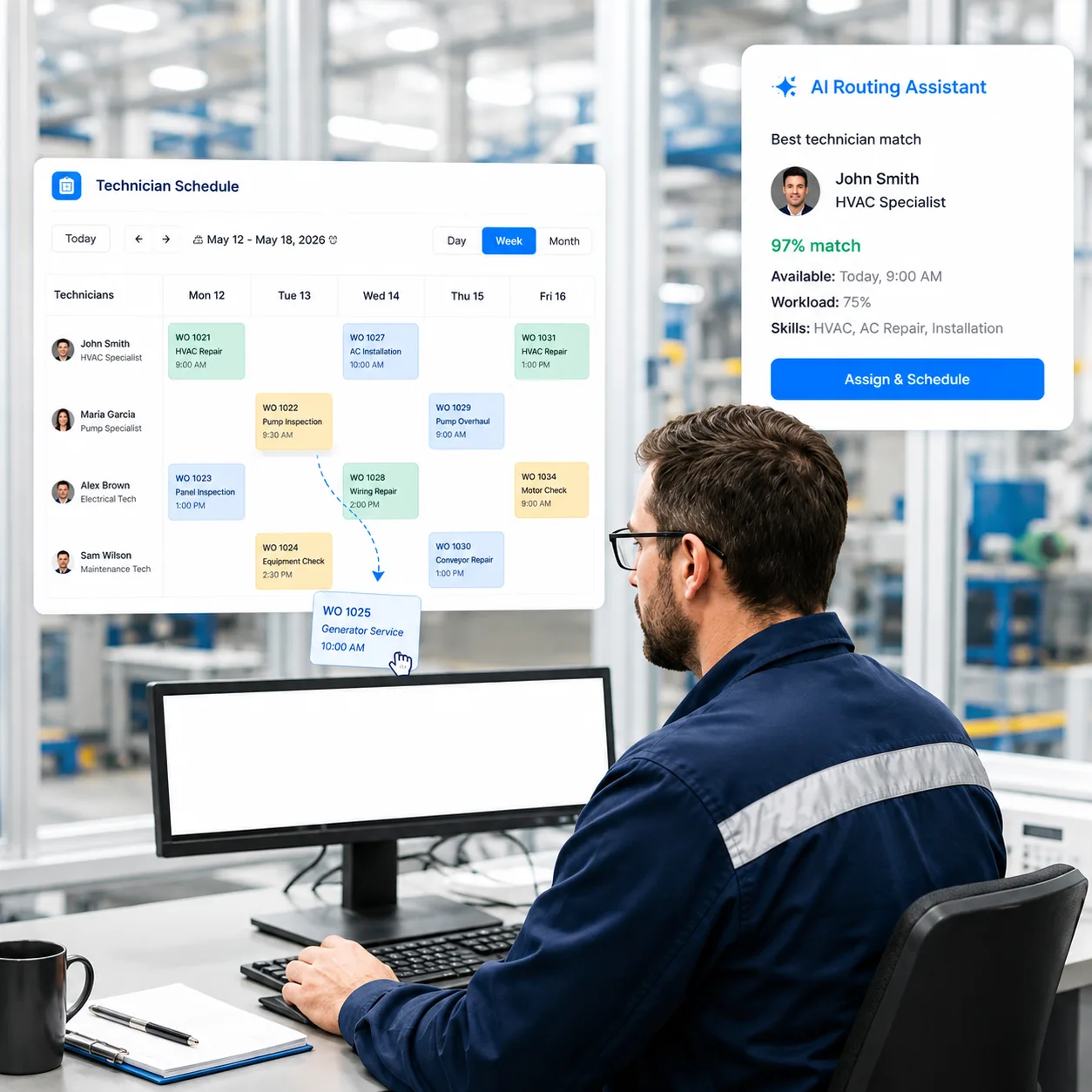
Use the drag and drop calendar to assign work by technician skill, availability, workload, site and job priority. AI can help with work order routing, while alerts and escalations help supervisors keep jobs on schedule.
View all capabilities
See work orders and technician scheduling in action
See how a maintenance request becomes a work order, gets assigned to a technician and stays tracked through completion.
Mobile work order management for technicians in the field
Technicians can open work orders, scan assets, view asset history, complete checklists, use parts, add photos, capture signatures and update job status from a phone or tablet. AI help is available when they need troubleshooting or maintenance information.
View all capabilities


Help technicians find maintenance answers faster
Technicians can ask questions using normal language and get help from asset history, manuals, maintenance records and your knowledge base. AI can also create checklists and suggest troubleshooting steps.
View all capabilities
Plan preventive maintenance and reduce breakdowns
Schedule PM work by date, meter, usage or condition. Create recurring work orders automatically. Use IoT and sensor data for condition based maintenance, and use AI predictive maintenance where equipment data is available.
View all capabilities

See preventive and predictive maintenance in DreamzCMMS
See recurring PM schedules, meter based work, condition monitoring, IoT alerts and predictive maintenance using your maintenance process.
Keep asset history, spare parts and work orders together
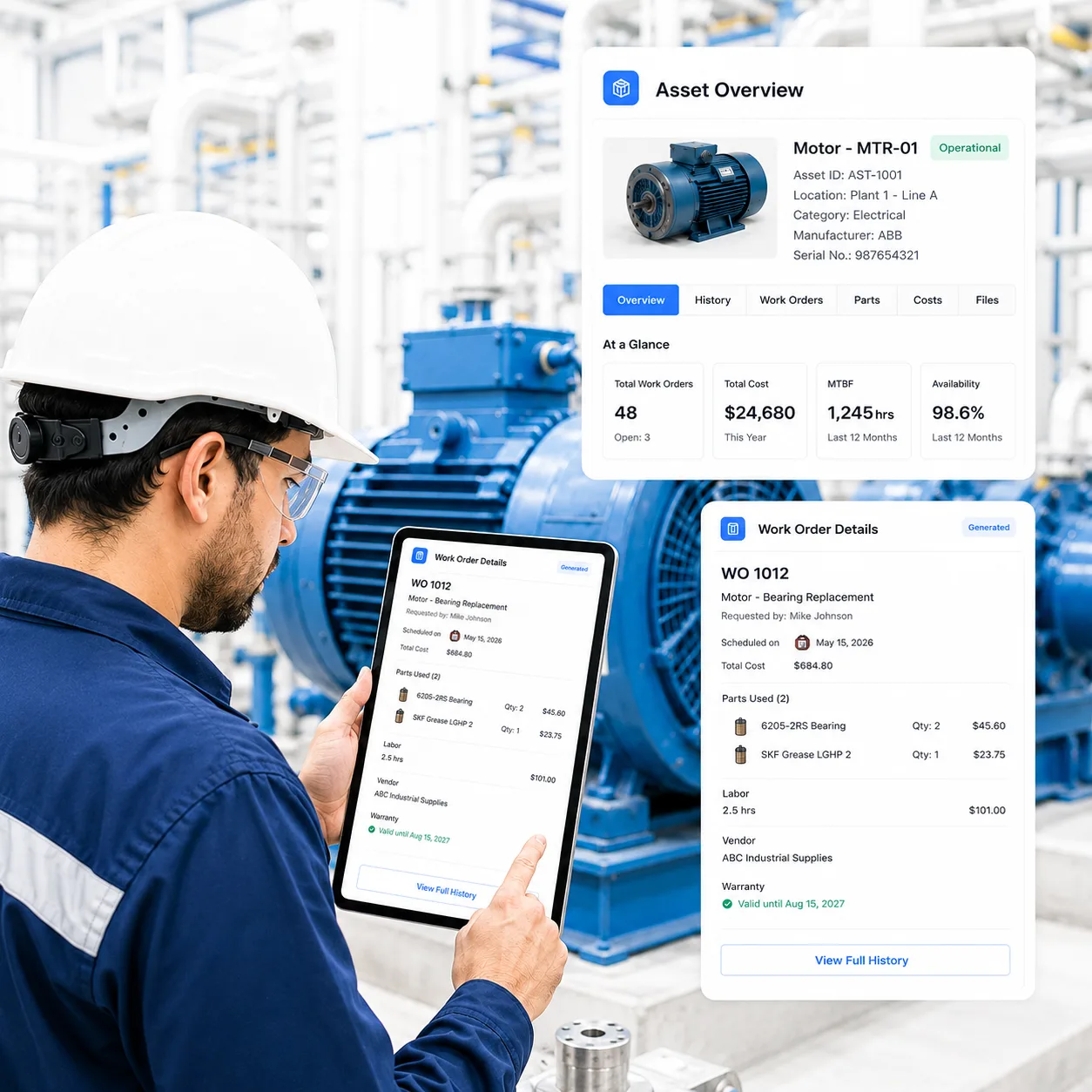
Keep each work order linked to the asset, maintenance history, parts used, labor, vendor, warranty and cost. Track stock levels and purchase requests so technicians have the parts they need. AI can use asset history when providing maintenance guidance.
View all capabilities
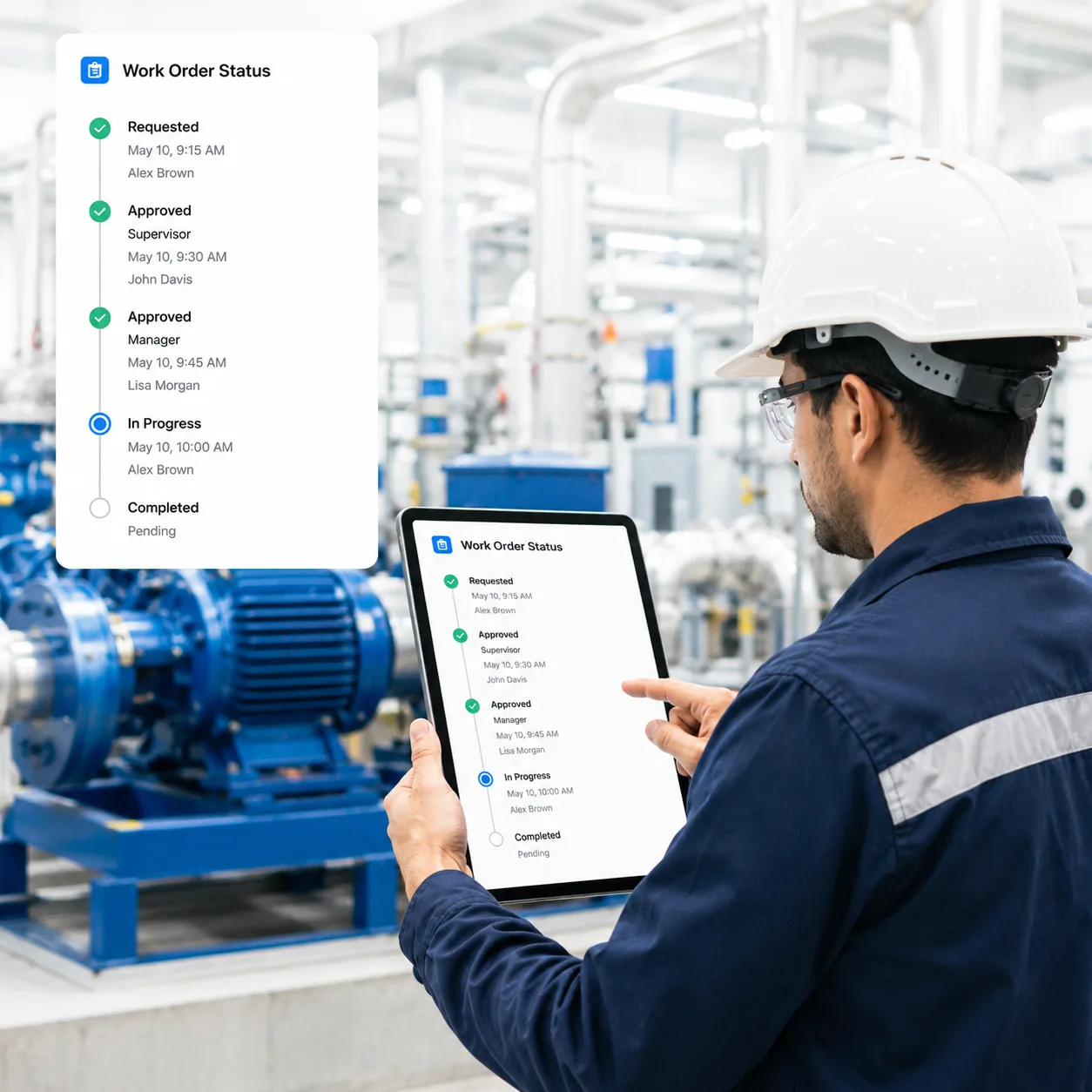
Standardize how maintenance work gets approved and completed
Set approval steps, status changes, notifications, escalations and routing rules for your maintenance process. Convert incidents into work orders and keep comments, files and the activity history in one place.
View all capabilities
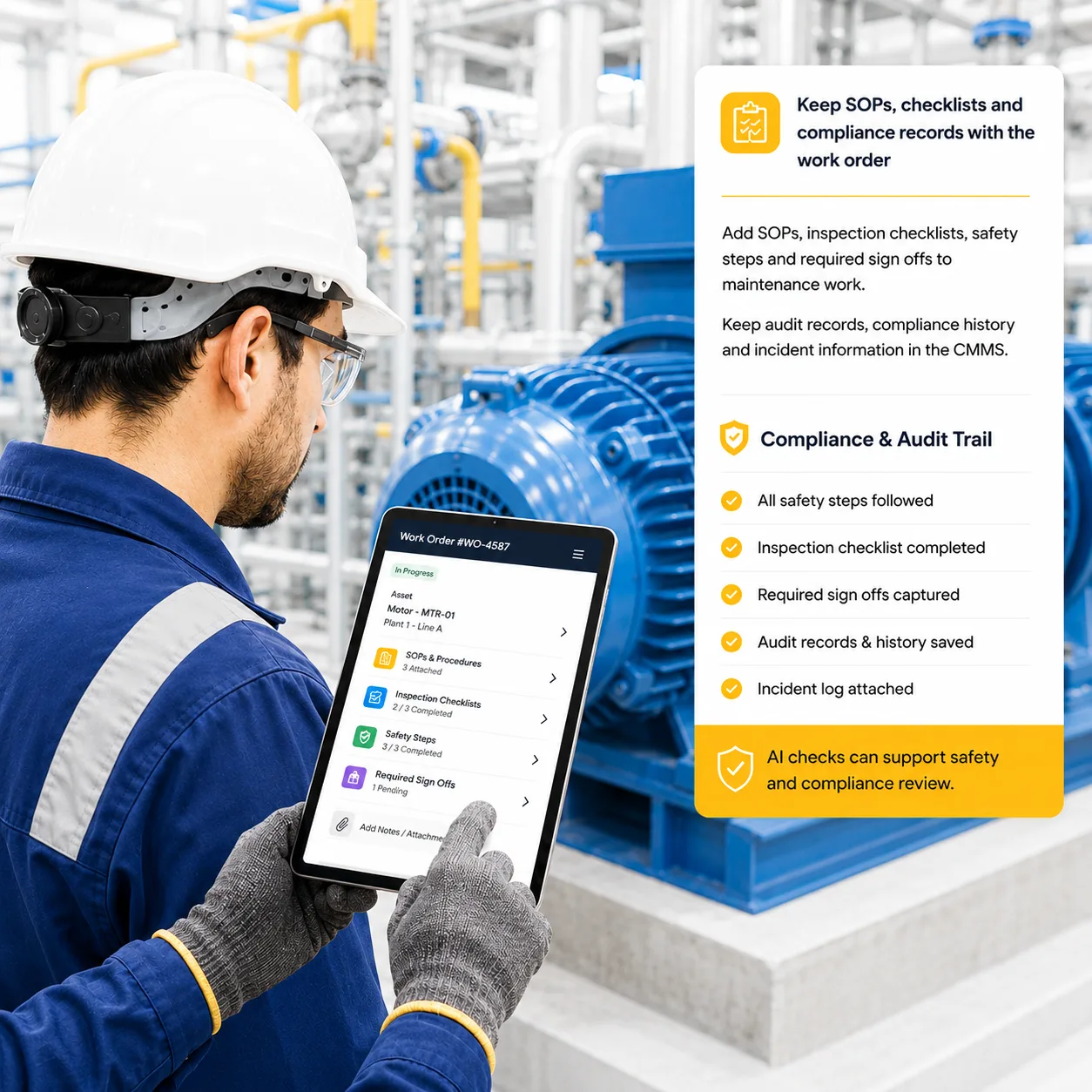
Keep SOPs, checklists and compliance records with the work order
Add SOPs, inspection checklists, safety steps and required sign offs to maintenance work. Keep audit records, compliance history and incident information in the CMMS. AI checks can support safety and compliance review.
View all capabilities
Track downtime, MTTR, MTBF, costs and work order performance
Track the maintenance numbers plant and facility managers use every day: downtime, MTTR, MTBF, work order backlog, labor, parts cost, asset performance and technician productivity. Use AI to spot recurring trends and Power BI for deeper reporting.
View all capabilities





Work order tracking software that shows what is open, overdue, unassigned or complete
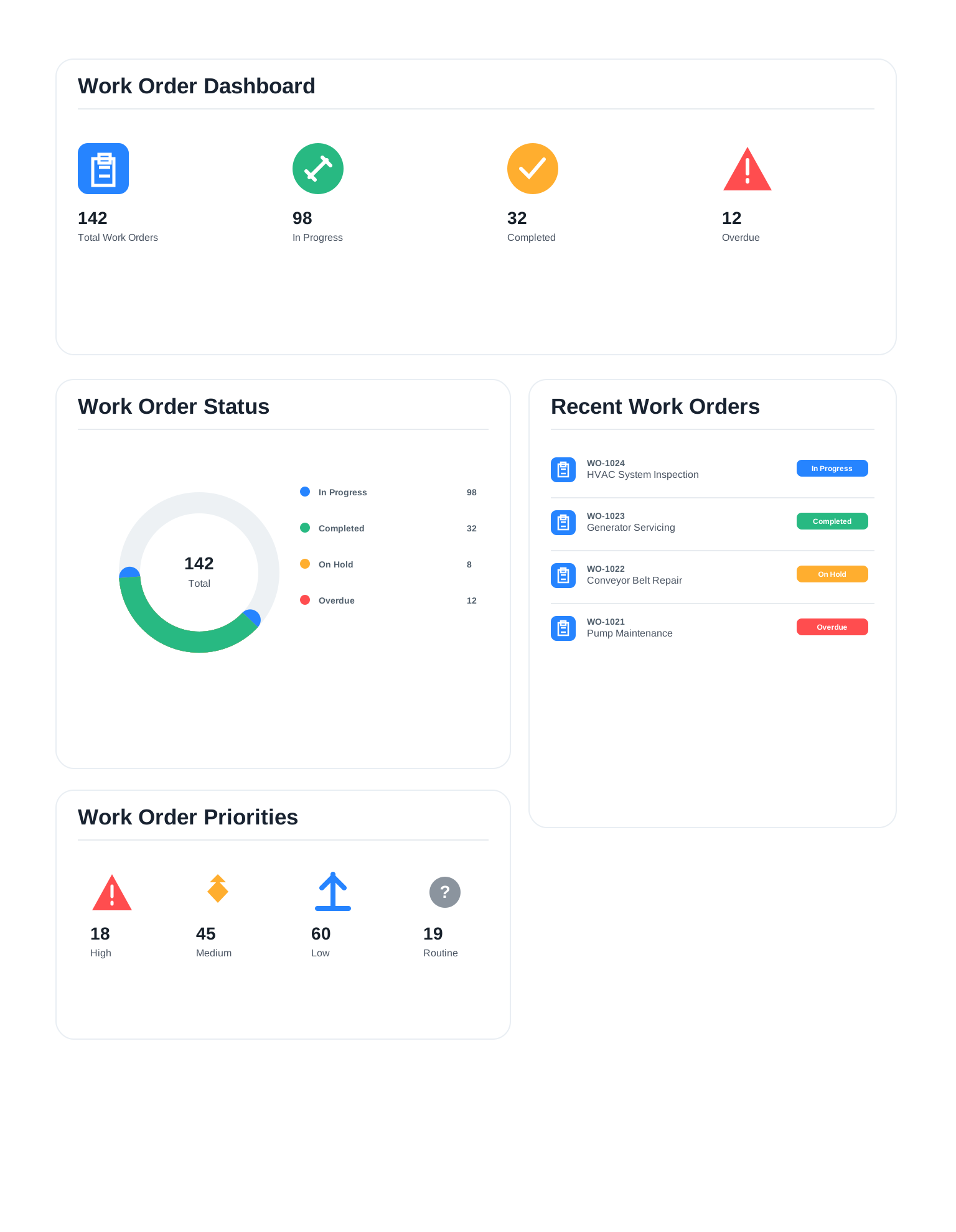
Give supervisors a live view of maintenance work across technicians, assets and sites. Use priority, status, due dates and alerts to focus on the jobs that need attention.
Track Every Status
Monitor open, assigned, completed and overdue work orders with real time updates from teams.
Track Emergency Work
See emergency, overdue and unassigned work orders in the same view.
Manage Delays
Use alerts, notifications and escalations when work is late or needs attention.
Replace paper, spreadsheets and follow up calls with one CMMS
DreamzCMMS gives plant and facility teams one place to manage requests, work orders, PM schedules, assets, parts and maintenance reports.
Keep maintenance requests in one queue and turn them into tracked work orders.
Use technician calendars, skills, workload and priority to assign jobs faster.
Keep asset history, previous work orders, parts and documents together.
Use preventive maintenance, inspections, condition data and predictive maintenance to reduce failures.
Reduce maintenance cost and keep equipment available
Use work order control, preventive maintenance, parts tracking and maintenance history to improve day to day maintenance performance.
See DreamzCMMS with your maintenance process
Show us how you manage work orders, technician scheduling or preventive maintenance today. We will walk through the same process in DreamzCMMS.
Connect DreamzCMMS with your existing systems
Connect maintenance data with ERP, accounting, inventory, RFID, IoT, SAP, Power BI and other business systems.
Integrations
- SAP
- Sage Intacct
- Stripe
- Zebra
- CIMCON
- Oracle NetSuite
- Intuit QuickBooks
- Propelr
- Microsoft Dynamics 365
- Xero
- Razorpay
- Samsara
- Odoo
- TallyPrime
- RevRex
- PhonePe
- Chainway
- CardConnect
- Codat
- Siesa
- Unleashed
- Shopify
- Monnit
- Birdeye
- SAP
- Oracle NetSuite
- Microsoft Dynamics 365
- Odoo
- Sage Intacct
- Intuit QuickBooks
- Xero
- TallyPrime
- RevRex
- Stripe
- Propelr
- Razorpay
- PhonePe
- CardConnect
- Codat
- Zebra
- Chainway
- CIMCON
- Samsara
- Monnit
- Siesa
- Unleashed
- Shopify
- Birdeye
CMMS software for everyday maintenance operations
Use DreamzCMMS for equipment maintenance, facility work orders, inspections, preventive maintenance and technician management across one or many locations.
Manufacturing Plants
Manage equipment work orders, PM schedules, breakdowns, spare parts, downtime and maintenance KPIs.
Facility Management
Manage building assets, service requests, inspections, contractors and preventive maintenance.
Healthcare Facilities
Track critical assets, inspections, compliance work orders and preventive maintenance.
Data Centers
Plan preventive maintenance, track incidents and manage critical equipment reliability.
Campuses & Education
Manage facility work orders, campus assets, inspections, technicians and PM schedules.
Multi Site Operations
Track work orders, technicians, assets and maintenance KPIs across multiple locations.
Work order software questions, answered
Short answers to common questions from plant and facility maintenance teams.
What is work order management software?
Work order management software helps maintenance teams create, assign, schedule, track and complete maintenance jobs while connecting asset, technician, parts, cost, checklist and history information in one system.
Where does DreamzCMMS use AI in the work order lifecycle?
DreamzCMMS uses AI across request intake, work order creation and routing, technician knowledge, asset specific guidance, checklist generation, troubleshooting, predictive maintenance, safety checks, completion summaries, maintenance insights and trend identification.
Can technicians work offline?
Yes. Mobile and offline work order workflows help technicians continue working in areas with limited connectivity and synchronize updates when a connection becomes available.
Does DreamzCMMS support RFID, QR, barcodes and IoT sensors?
Yes. DreamzCMMS supports QR, barcode and RFID scanning and can integrate IoT and sensor information into asset monitoring and maintenance workflows.
Can we automate custom approvals and maintenance workflows?
Yes. Teams can configure routing, approvals, multiple approval levels, conditions, escalations, notifications and other workflow steps around their operational process.
Does DreamzCMMS support safety and compliance workflows?
Yes. DreamzCMMS supports AI assisted safety checks, digital SOPs, inspection checklists, mandatory completion steps, audit ready records, regulatory tracking and risk and incident management.
Can DreamzCMMS report MTBF, MTTR and maintenance costs?
Yes. DreamzCMMS can report maintenance KPIs such as downtime, MTBF, MTTR, labor, maintenance costs, asset performance and technician efficiency, with Power BI available for advanced interactive reporting.
What is the difference between work order software and a CMMS?
Work order software manages maintenance jobs from request to completion. A CMMS includes work orders and also covers preventive maintenance scheduling, asset history, spare parts and reporting. DreamzCMMS is a full CMMS with work order management at its core, so teams can start with work orders and add the rest.
What is the best work order software for maintenance teams?
The best work order software is the one technicians actually use. Look for easy request intake, mobile and offline access, preventive maintenance scheduling, asset history, approvals and reporting on downtime and cost. DreamzCMMS covers each of these and has been recognized as a G2 High Performer (Winter 2026), Capterra Best Value (2026) and Software Advice Most Recommended (2026).
Is DreamzCMMS work order software suitable for small businesses?
Yes. A small team can start with a few technician users, requesters are free, and setup is included. As the team grows, DreamzCMMS adds multi-site scheduling, approvals and reporting without moving to a different tool.
Can work order software handle facility and property maintenance requests?
Yes. Staff, tenants or occupants can submit maintenance requests, and DreamzCMMS turns them into work orders with priority, assignee and due date. Automated notifications and escalations keep requests moving, and teams can track every request from open to complete.
Is cloud-based work order software secure?
DreamzCMMS runs on AWS cloud infrastructure, holds ISO 27001 and ISO 9001 certifications and a SOC 2 Type II report, and is GDPR compliant. Security documents for vendor reviews are available in the DreamzCMMS Trust Center.
See DreamzCMMS with your maintenance workflow
See how your team can manage work orders, preventive maintenance, assets, spare parts, technicians, inspections and maintenance reports in one CMMS, with AI assistance where it helps.